
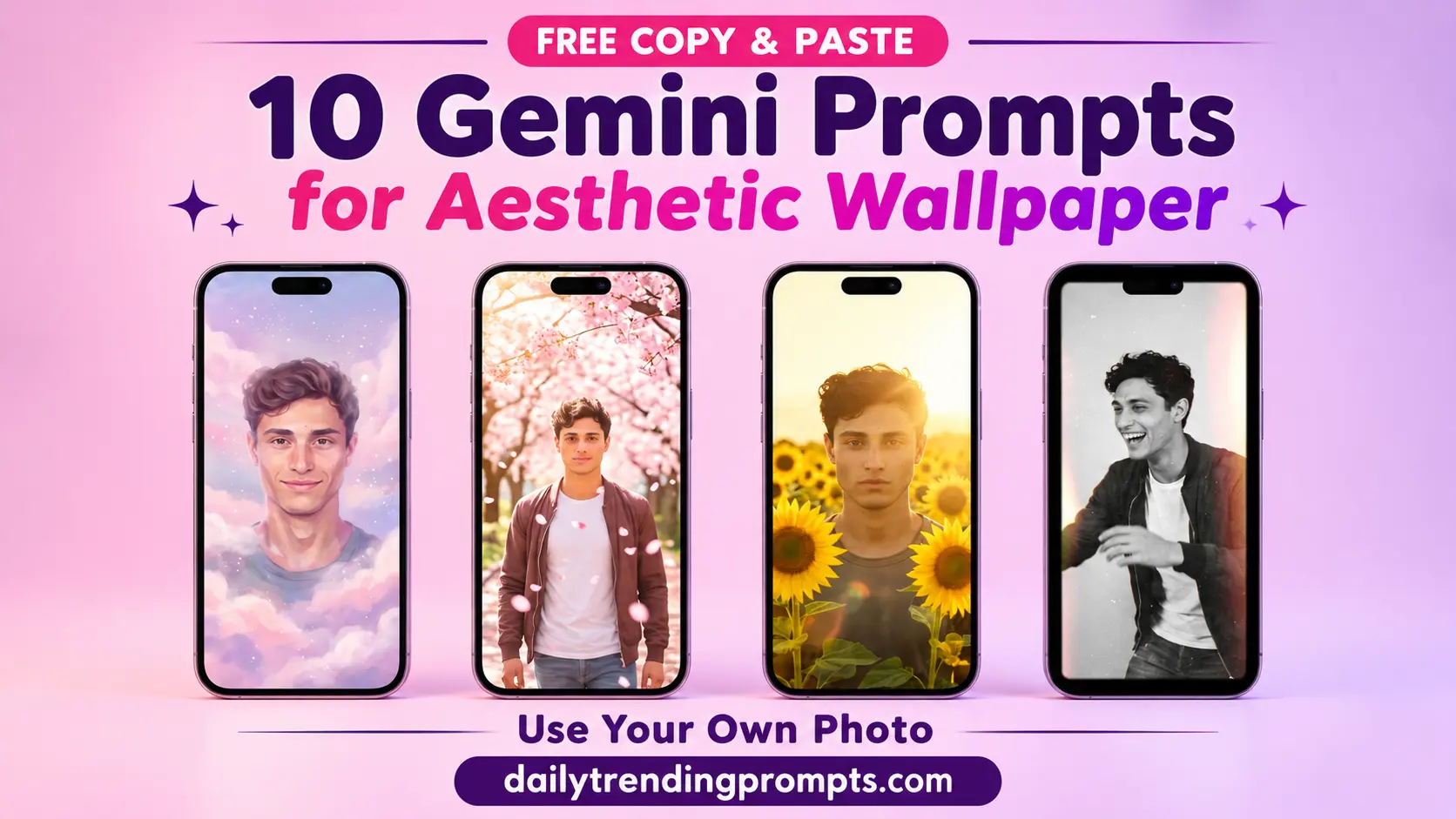
Why use a random wallpaper when your phone can show you in a dreamy, aesthetic scene? With Google Gemini, you can upload one clear photo, paste a prompt and turn yourself into a stylish phone wallpaper in seconds.
Below are 10 free copy-and-paste aesthetic Gemini prompts. Each one works with a single selfie and is written for a vertical phone screen.
Table of content
What Is a Personalized Wallpaper Prompt?
It is a prompt that uses your own photo as a face reference. Gemini keeps your face recognizable and places you in a new scene, outfit or art style. You can use the result as your lock screen, home screen or profile background.
Before You Start
All prompts below already include this line, but add it to any prompt you write yourself:
“Use the uploaded photo only as a face reference and keep my face clearly recognizable. Do not include the uploaded photo, any frame, collage or text in the final image.”
10 Best Aesthetic Gemini Wallpaper Prompts with Your Photo
Prompt 1: Minimal Silhouette Gradient
Use the uploaded photo only as a face reference. Do not include the uploaded photo or text in the final image. Create a vertical minimalist wallpaper featuring a clean side-profile portrait of me in soft shadow, against a smooth gradient from deep blue to pink. Plenty of empty space at the top for the clock, subtle grain, calm and aesthetic. Aspect ratio 9:16, high resolution.
Prompt 2: Lo-Fi Dreamy Illustration
Use the uploaded photo only as a face reference and keep my face recognizable in a cute lo-fi illustration style. Do not include the uploaded photo or text in the final image. Create a vertical wallpaper of me sitting on a crescent moon above a sleeping city, looking at shooting stars in a purple and blue night sky. Soft film grain, calm and dreamy colors. Aspect ratio 9:16.
Prompt 3: Cozy Aesthetic Chai Window
Use the uploaded photo only as a face reference and keep my face clearly recognizable. Do not include the uploaded photo or text in the final image. Create a vertical wallpaper of me sitting by a rainy window with a cup of chai, wearing a soft cozy sweater, with fairy lights and a small plant beside me and a blurred city glowing outside. Warm, calm, nostalgic mood, soft bokeh, realistic style. Aspect ratio 9:16.
Prompt 4: Retro 1980s Bollywood Hero
Use the uploaded photo only as a face reference and keep my face clearly recognizable. Do not include the uploaded photo, frame or text in the final image. Create a vertical wallpaper of me in a vintage 1980s Bollywood style, with voluminous 80s hair, a denim jacket, aviator sunglasses, leaning on a cream vintage car beside an old street wall with faded hand-painted posters. Warm orange film tones, heavy film grain, light leaks. Aspect ratio 9:16.
Prompt 5: Dark Academia Library
Use the uploaded photo only as a face reference and keep my face clearly recognizable. Do not include the uploaded photo or text in the final image. Create a vertical dark academia wallpaper of me sitting at an old wooden desk in a candle-lit library, wearing a brown tweed blazer and a cream sweater, holding a vintage book. Tall bookshelves, warm amber light, soft shadows, a moody and intellectual look. Realistic photography style. Aspect ratio 9:16.
Prompt 6: Pastel Cloud Dream
Use the uploaded photo only as a face reference and keep my face clearly recognizable. Do not include the uploaded photo or text in the final image. Create a vertical dreamy wallpaper of me lying back on soft pastel clouds in a pink, lavender and baby blue sky, wearing a white flowy outfit, with tiny floating stars and sparkles. Soft glow, airy and peaceful, gentle haze. Face in the upper-middle area. Aspect ratio 9:16.
Prompt 7: Cherry Blossom Walk
Use the uploaded photo only as a face reference and keep my face clearly recognizable. Do not include the uploaded photo or text in the final image. Create a vertical aesthetic wallpaper of me walking along a quiet path under blooming cherry blossom trees, with soft pink petals falling in the air. Pastel spring colors, warm sunlight filtering through the branches, a light jacket, a calm and romantic mood. Realistic photography style. Aspect ratio 9:16.
Prompt 8: Golden Hour Sunflower Field
Use the uploaded photo only as a face reference and keep my face clearly recognizable. Do not include the uploaded photo or text in the final image. Create a vertical wallpaper of me standing in a sunflower field at golden hour, wearing a simple white shirt, with warm sunlight glowing around my hair and soft lens flare. Shallow depth of field, rich yellow and orange tones, happy and peaceful mood. Aspect ratio 9:16, high resolution.
Prompt 9: 35mm Film Street Aesthetic
Use the uploaded photo only as a face reference and keep my face clearly recognizable. Do not include the uploaded photo, frame or text in the final image. Create a vertical wallpaper in the style of a candid 35mm film photograph of me walking on an old city street in a vintage jacket, with soft grain, slightly faded colors, warm highlights and gentle light leaks. Natural, casual and nostalgic. Aspect ratio 9:16.
Prompt 10: Y2K Holographic Aesthetic
Use the uploaded photo only as a face reference and keep my face clearly recognizable. Do not include the uploaded photo or text in the final image. Create a vertical Y2K-style wallpaper of me with a glossy, holographic look, surrounded by chrome stars, butterflies and bubble shapes in pastel pink, silver and baby blue. Dreamy early-2000s digital style, soft glow, sparkles, playful and clean. Keep the lower third simple for icons. Aspect ratio 9:16.
How to Use These Prompts in Gemini
- Open Gemini (app or website) and sign in.
- Upload one clear selfie.
- Paste your chosen prompt and send.
- Download the image and set it from Settings > Wallpaper.
- Refine with follow-ups like “make the lighting warmer,” “move me lower in the frame” or “add more petals.”
Tips for Better Results
- Use a sharp, front-facing selfie in good light, with no heavy filters or sunglasses. This matters most for likeness.
- Keep your face in the upper-middle area. Your clock and icons cover the top and bottom of the screen.
- If your face drifts, add: “Prioritize facial accuracy and keep the exact facial features from the uploaded photo.”
- If Gemini gives a square image, ask it to “recreate this in 9:16 portrait,” or crop it on your phone.
- Choose one aesthetic per wallpaper. Mixing too many styles can make the result messy.
- Generate 2 to 3 times and pick the best version.
- Upscale the image with a free AI upscaler if it looks soft on your screen.
Privacy Tips
- Upload only your own photos, or photos of people who have agreed.
- Don’t upload private or sensitive images.
- Check your AI tool’s data and privacy settings before uploading photos.
Easy Ways to Customize
- Change the outfit: “in a black leather jacket,” “in a white kurta,” “in a pastel dress.”
- Change the color palette: “in warm brown tones,” “in soft pastel green,” “in black and white.”
- Change the mood: “dark and moody,” “bright and happy,” “soft and dreamy.”
- Make it a couple wallpaper: Upload two photos and say “the first photo is person A, the second is person B.”
- Make it a desktop wallpaper: Replace “9:16 vertical” with “16:9 horizontal.”
Conclusion
A personalized wallpaper makes your phone feel like yours. With these 10 aesthetic Gemini prompts, you can turn one selfie into a minimal portrait, a dreamy cloud scene, a retro Bollywood still, a dark academia look and more. Upload a clear photo, keep your face in the upper-middle area and generate a few times to find your favorite.
Come back to DailyTrendingPrompts.com every day for the latest trending AI image prompts, and share this post with a friend who wants their own custom wallpaper.
Frequently Asked Questions
Can I make a wallpaper with my own photo in Gemini?
Yes. Upload a clear photo, paste a prompt and ask Gemini to use it as a face reference.
Are these prompts free?
Yes, you can copy and edit them freely. Gemini’s free plan may limit the number of images per day.
Why doesn’t the face look like me?
Usually the photo is blurry, angled or filtered. Use a sharp, front-facing selfie and add the facial accuracy line from the tips above.
Will my original photo appear in the wallpaper?
No, not if the prompt says “Do not include the uploaded photo in the final image.” If it still appears, repeat that sentence and regenerate.
Can I make a wallpaper for two people?
Yes. Upload two photos, name which is which in the prompt and ask for both to be in the scene.
What size should the wallpaper be?
Use a 9:16 vertical ratio for phones and 16:9 for desktops.
Is it safe to upload my photo?
Check the privacy policy and settings of the AI tool you use. Don’t upload sensitive or private photos.