

Dreamy Gemini AI photo prompts for girls portraits are everywhere on Instagram and Pinterest right now: soft golden light, glowing bokeh, film grain, flowers and a gentle, cinematic mood. The good news is you don’t need a photographer. Upload one clear selfie to Google Gemini, paste one of the prompts below, and get a dreamy AI portrait in seconds.
In this post you will find 6 ready-to-use prompts for girls, plus tips to keep your face looking natural.
Table of Contents
Why Is the Dreamy AI Photo Trend Going Viral?
Dreamy AI portraits are trending because they look like a professional photoshoot but take under a minute. Three things drive it:
- Cinematic look, zero cost. Golden-hour backlight, glowing bokeh and film grain used to need a studio, a photographer and editing skills. Now one prompt does it.
- It feels like you. Gemini keeps your own face and style, so the result is a better version of your real photo, not a random AI character.
- Made for sharing. Soft, warm, vertical portraits fit perfectly on Instagram Stories, Reels covers, Pinterest and WhatsApp DPs, so they spread fast.
The Kodak Portra film tones, soft haze and “main character” mood also match the aesthetic Pinterest boards and Instagram creators have been pushing, which is why more girls try it every week.
Why Should Girls Create These Images?
- Instant profile glow-up. A fresh Instagram or WhatsApp profile photo without booking a shoot.
- Free and private. You create the image yourself, at home, at any time. No studio, no stranger behind the camera.
- Try any style safely. Want a saree look, a bridal glow or a fashion poster? Test it on AI first before spending on a real outfit or makeup.
- Content for creators. Reels covers, story highlights, blog posts and festive wishes look more premium with a dreamy portrait.
- A confidence boost. Seeing yourself in soft, flattering light is a fun way to appreciate your own features.
- Beautiful memories. Turn an ordinary selfie into a keepsake for a birthday, festival or special day.
One simple rule: use only your own photo, or a photo of someone who has given permission.
How to Use These Prompts in Gemini
- Open Gemini (app or gemini.google.com) and sign in.
- Tap the + icon and upload your own clear photo.
- Copy any prompt below and paste it in the chat.
- Press send, wait for the image, then ask for small edits like “make the light warmer” or “add more blur”.
Best photo to upload: front-facing, good natural light, face clearly visible, no heavy filters, no sunglasses.
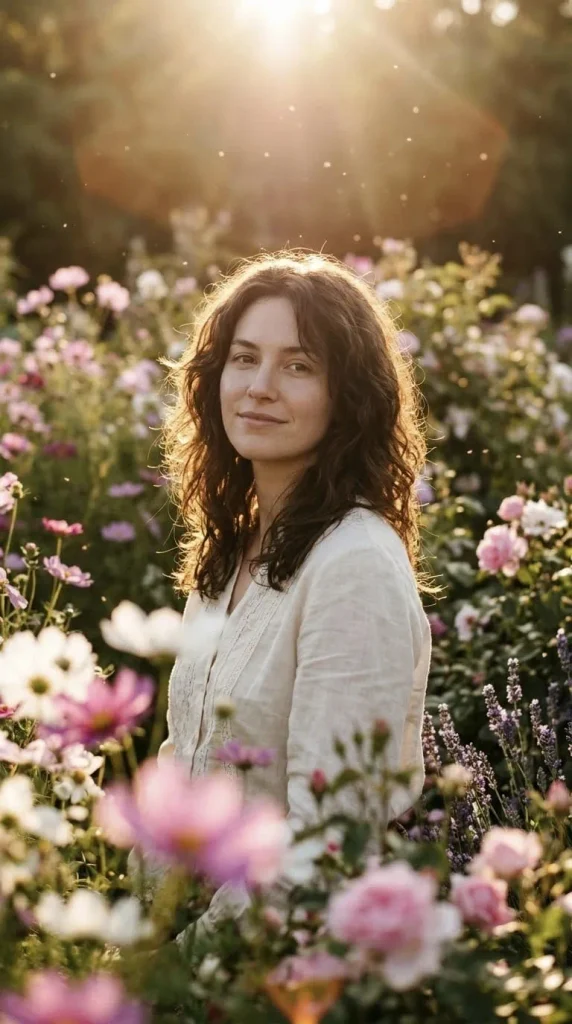
Prompt 1: Golden Hour Garden Dream
Soft backlight, glowing hair, flower bokeh. Perfect for a fairytale look.
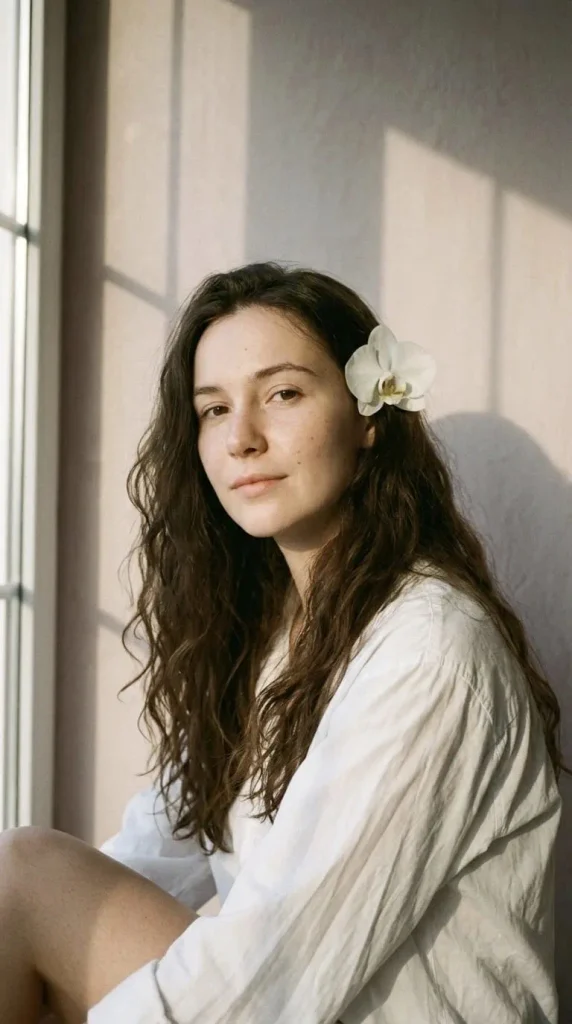
Prompt 2: White Orchid 90s Kodak Portra
Minimal, pastel and aesthetic. Great for a clean Instagram profile photo.
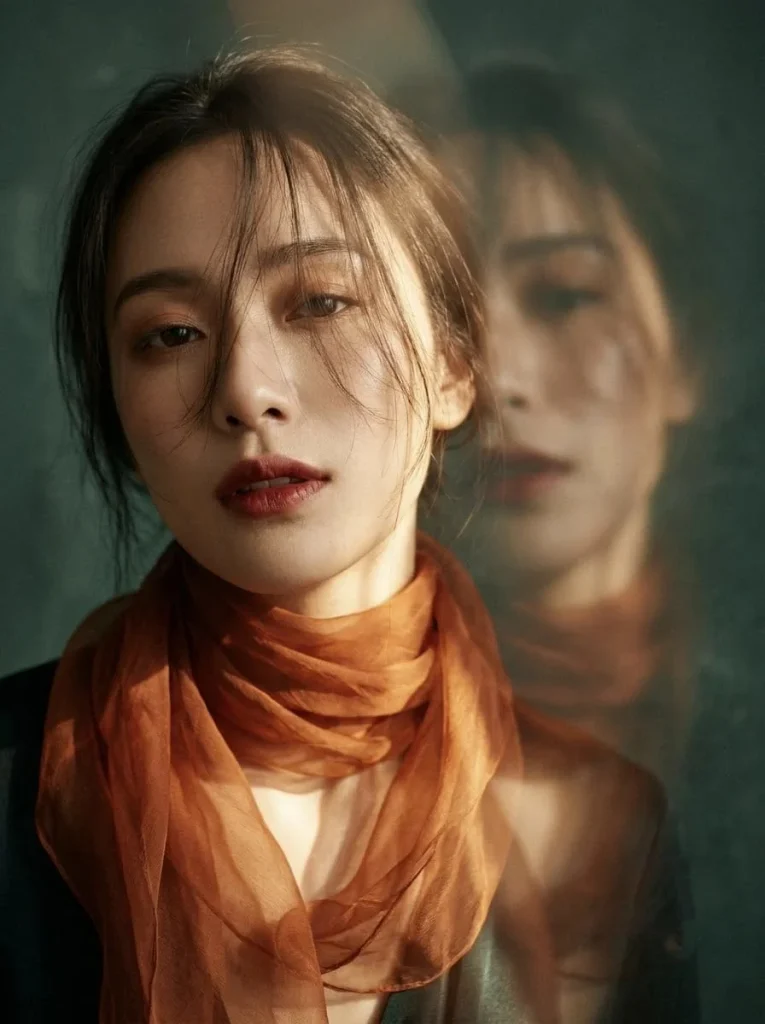
Prompt 3: Orange Cinematic Fashion Poster
A blurred “ghost” face behind you gives a high-fashion magazine feeling.
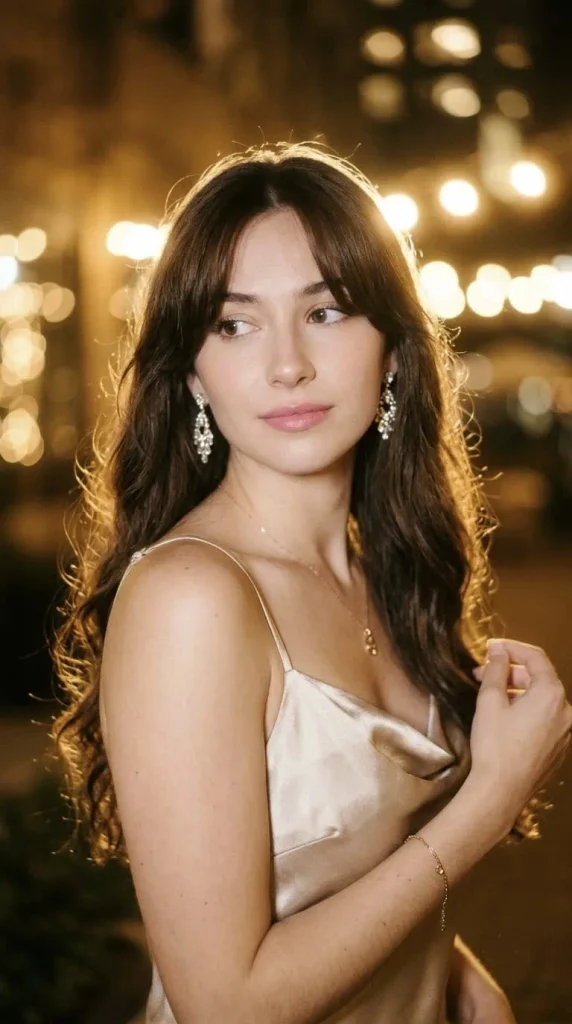
Prompt 4: Soft Glam Satin & Jewellery Glow
A dreamy, glowing portrait with sparkling accessories.
Prompt 5: Sunlit Grapes & Soft Film (Korean Soft Style)
Warm sunbeams, dewy skin and a slow-living, romantic mood. Perfect for a soft aesthetic profile photo.

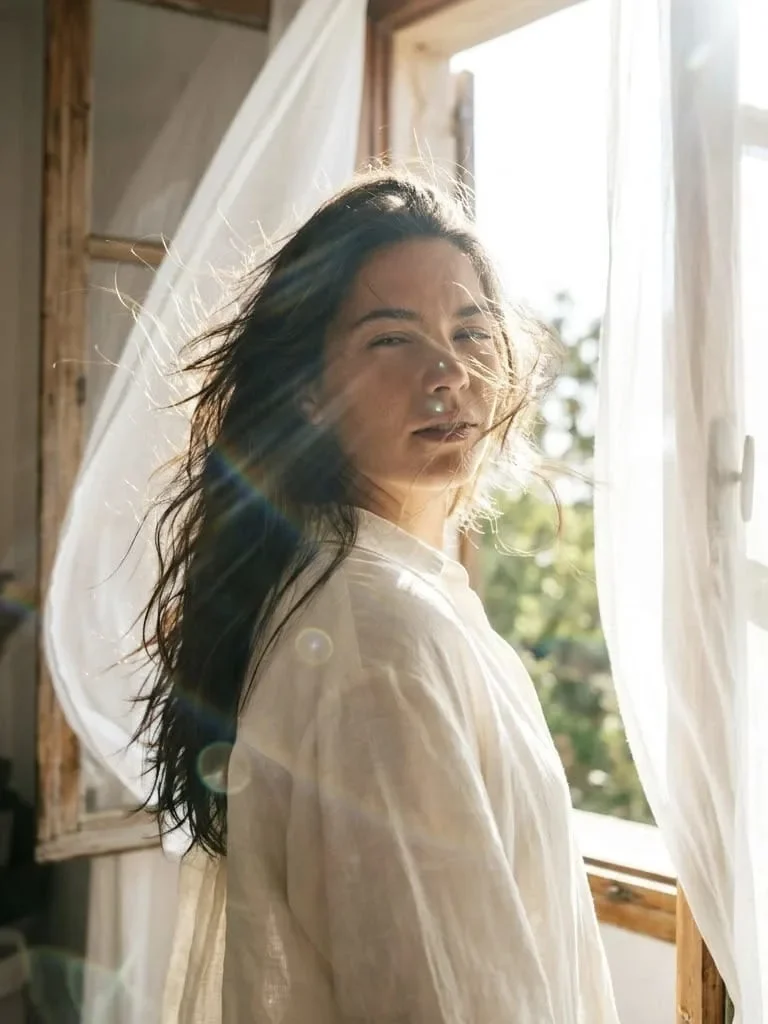
Prompt 6: Windy Window Sun Flare Portrait
Strong sunlight, flowing hair and curtains, and rainbow lens flares. A bold, cinematic look that stands out on any feed.
Tips for the Best Dreamy Results
- Always add “keep my face the same”. This helps Gemini preserve your real features.
- Light is everything. Words like golden hour, backlight, soft glow, haze create the dreamy effect.
- Add bokeh. “Blurred foreground flowers” or “glowing lights” instantly makes the image look cinematic.
- Mention a film style. Kodak Portra, film grain, vintage adds that soft nostalgic touch.
- Not happy with the result? Reply with “make it softer”, “more golden light” or “keep my face closer to the original”.
- Try 2–3 times. Each generation looks a little different.
How to Choose the Right Photo for Gemini
The quality of your result depends a lot on the photo you upload. Even the best Gemini AI photo prompts for girls cannot fix a dark, blurry or heavily filtered selfie, so spend one minute picking the right image.
- Use daylight. Stand near a window or step outside in the morning or evening. Soft natural light shows your real skin tone and face shape clearly.
- Face the camera. A straight or slightly tilted face works best. Extreme side angles make it harder for Gemini to copy your features.
- Keep the frame clean. A simple background helps the AI focus on you instead of mixing the old background into the new image.
- Avoid heavy beauty filters. Filters change your real face, and the AI may copy that fake look. A natural photo gives a more natural dreamy result.
- Show your hair clearly. If your hair is visible, Gemini can keep the style and color the same while adding wind, glow or backlight.
Easy Ways to Customize Any Prompt
You don’t have to use these prompts exactly as they are. Change a few words and you get a completely new look. Here are simple ideas:
- Change the outfit. Replace the dress or shirt with a saree, lehenga, denim jacket, kurti, sweater or a long flowy gown.
- Change the color mood. Use “soft pastel pink tones”, “warm orange sunset tones”, “muted green tones” or “cool blue morning light”.
- Change the location. Try a rooftop at sunset, a balcony with fairy lights, a lavender field, a cafe window or a beach at golden hour.
- Change the flowers and props. Swap orchids for roses, jasmine, sunflowers or dried flowers. Add a vintage camera, a book or a cup of coffee.
- Change the format. Add “vertical 9:16” for Stories and Reels, “4:5” for Instagram posts or “1:1” for profile pictures.
- Change the film style. Mention “Fujifilm”, “Kodak Gold”, “vintage 90s film” or “soft Polaroid look” for a different nostalgic feel.
Common Mistakes to Avoid
- Writing a very short prompt. A one-line prompt gives a random result. Describe the light, mood, outfit and camera style.
- Forgetting to protect your face. Always mention “keep my face and features exactly the same”, or the AI may create a different person.
- Adding too many ideas at once. If you mix five locations and ten outfits, the image becomes messy. Keep one clear scene.
- Giving up after one try. AI images vary every time. Generate again or ask for a small change instead of starting over.
- Ignoring the aspect ratio. If you forget to mention the size, the image may get cropped on Instagram. Always add the ratio.
- Using someone else’s photo without permission. Only upload your own pictures, or a photo of a person who has agreed to it.
How to Use Your Dreamy AI Photos
Once you have your favorite result, you can use it in many ways:
- As your Instagram or WhatsApp profile picture.
- As a Reels cover or Story background with a short quote.
- As a Pinterest pin for your own aesthetic board.
- As a birthday, festival or anniversary post.
- As a wallpaper for your phone.
For the best quality, download the image at the highest resolution and avoid screenshots. If the image looks slightly soft on your feed, that is part of the dreamy style.
Caption and Hashtag Ideas for Your Dreamy Photos
A good caption makes your AI portrait feel complete. Here are short, aesthetic captions you can copy:
- “Golden hour and a soft heart.”
- “Lost in the light.”
- “Some days just feel like a dream.”
- “Soft mood, warm light.”
- “Main character in her own story.”
- “Sunshine in my hair, peace in my mind.”
Hashtags you can use:
#dreamyportrait #geminiaiprompts #aiphotoprompt #aestheticgirl #goldenhour #filmlook #softaesthetic #aiportrait #instagramaesthetic #trendingprompts
Keep 5 to 10 hashtags per post, and mix popular tags with smaller niche ones so more people can find your image.
Conclusion
Dreamy AI portraits are popular because they give a cinematic, professional look in seconds, free of cost. With the 6 prompts above you can create a golden-hour garden portrait, a pastel orchid look, a fashion poster, a satin glam shot, a sunlit grapes soft film shot or a windy sun-flare window portrait from a single selfie.
Start with one prompt, upload a clear photo, and tweak the light and blur until it feels like you. Remember to keep the “keep my face the same” line, use your own photo, and enjoy experimenting.
The real secret behind a beautiful AI portrait is not a long or complicated prompt. It is a clear photo, soft light, a simple scene and one line that protects your face. Once you understand that, you can edit any of these Gemini AI photo prompts for girls to match your own style, whether you love a soft pastel look, a warm festive glow or a bold cinematic frame.
Try one prompt today, change one detail tomorrow, and keep experimenting. In a few attempts you will find the exact dreamy look that feels like you. Bookmark this page so you can come back whenever you want a fresh idea, and share your best result with friends who love aesthetic photos.
These dreamy Gemini prompts turn a simple selfie into a soft, golden, cinematic portrait. Save this post, try your favorite prompt, and come back to Daily Trending Prompts every day for new AI photo trends and you can also try this Scream trend that’s trending on Social Media.
FAQs
Are these prompts free?
Yes, you can paste them in Gemini and try for free (limits depend on your Gemini plan).
Can I change the outfit or colors?
Yes. Replace the outfit, flower or color in the prompt with your own idea.
Will it look exactly like me?
Results can vary. Use a clear, well-lit photo and keep the “keep my face the same” line.
Can boys use these prompts?
Yes, just change the outfit and styling words.
Which Gemini model should I use?
Use the latest Gemini version that supports image creation and photo upload. Features and daily limits can change, so check the Gemini app for what is available on your account.
Why does my face look different in the result?
This usually happens when the uploaded photo is dark or blurry, or when the prompt is too long and complicated. Upload a clearer photo, keep the “keep my face the same” line at the start, and ask Gemini to “keep my face closer to the original”.
Can I use these prompts on other AI tools?
Yes, most of them also work in other AI image tools that accept a reference photo. Results and style can vary from tool to tool.
How can I get a more realistic look?
Add words like “natural skin texture”, “photorealistic”, “soft film grain” and “shallow depth of field”. Avoid words like “perfect skin” or “flawless”, which can make the image look fake.
What is the best aspect ratio for Instagram?
Use 4:5 for feed posts and 9:16 for Stories and Reels. For a square profile picture, ask for 1:1.
Is it safe to upload my photo? Only upload photos you are comfortable sharing, and avoid private or sensitive images. Check Google’s privacy settings for Gemini to understand how your data is used.
1 thought on “Best Dreamy Gemini AI Photo Prompts for Girls (Copy & Paste) – 2026”