
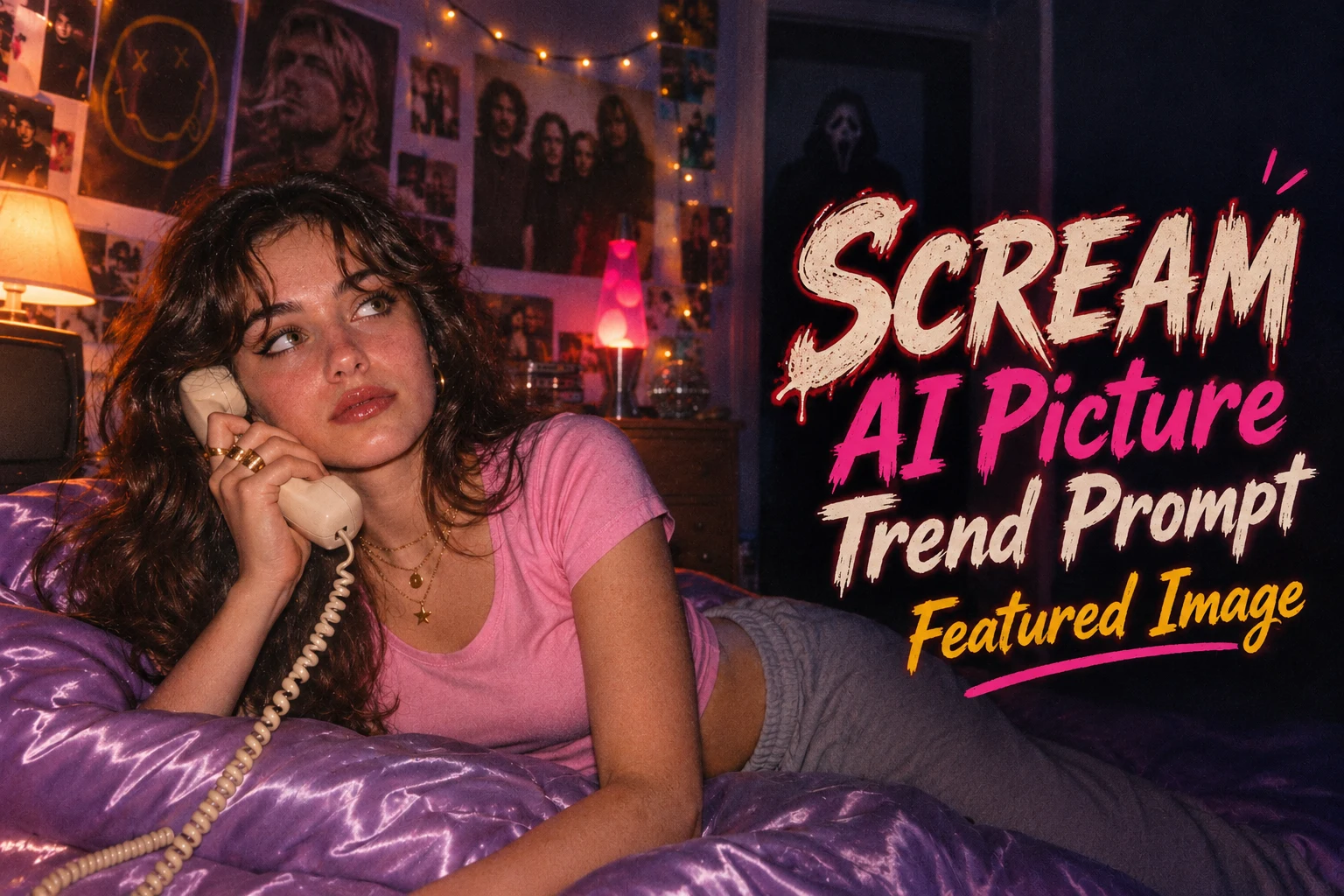
Scream AI picture trend prompt is taking over Instagram, TikTok and Pinterest right now: dreamy 90s bedrooms, grainy flash photos, and a horror icon quietly lurking somewhere in the background. You don’t need a photographer, a costume or a haunted house. Upload one clear selfie to Google Gemini, paste one of the prompts below, and get a spooky, cinematic photo in seconds.
In this post you will find 7 ready-to-use prompts, and every prompt features a different horror character, so you never get the same scene twice. Each one has a clear “Best For” label, plus tips to keep your face looking natural.
Table of Contents
Why Is the Scream AI Picture Trend Going Viral?
The scream AI picture trend prompts works because it looks like a still from a 90s horror movie, but it takes less than a minute to make. Three things drive it:
- Pretty meets creepy. Soft lamp light, cute outfits and nostalgic details sit side by side with a dark figure in the background. That contrast makes people stop scrolling and look twice.
- It still looks like you. Gemini keeps your face and style, so the result is a spooky version of your real photo, not a random AI character.
- Made for sharing. The “spot the villain” idea makes people zoom in, comment and share. It works perfectly in vertical format for Instagram Stories, Reels covers, Pinterest and WhatsApp DPs.
Horror nostalgia has also been growing through movies, fashion and social media. Retro flash photography, film grain and Y2K styling are everywhere, so people love placing themselves inside that world, especially around Halloween and spooky season.
Who Should Try These Scream Prompts?
- Girls and women who love the dreamy Y2K, slumber party and soft-spooky aesthetic.
- Boys and men who want a dark, cinematic horror-movie profile photo.
- Couples and friends who want a funny, matching horror-night photo (using photos of people who have agreed).
- Content creators who need a fresh, scroll-stopping Reels cover or Pinterest pin.
- Anyone who wants a unique Halloween or spooky-season post without any costume or photoshoot.
One simple rule: use only your own photo, or a photo of someone who has given permission.
How to Use These Prompts in Gemini
- Open Gemini (app or gemini.google.com) and sign in.
- Tap the + icon and upload your own clear photo.
- Copy any prompt below and paste it in the chat.
- Press send, wait for the image, then ask for small edits like “make the room darker” or “make the figure in the background less visible”.
Best photo to upload: front-facing, good natural light, face clearly visible, no heavy filters, no sunglasses.
Note: The horror characters in these prompts are fan-style references used for creative, non-commercial fun. If Gemini declines a named character, simply describe them instead (for example, “a figure in a white ghost-like mask and black robe”) and the result will be just as spooky.
Prompt 1: Y2K Bedroom Ghostface
Best For: Girls / Women
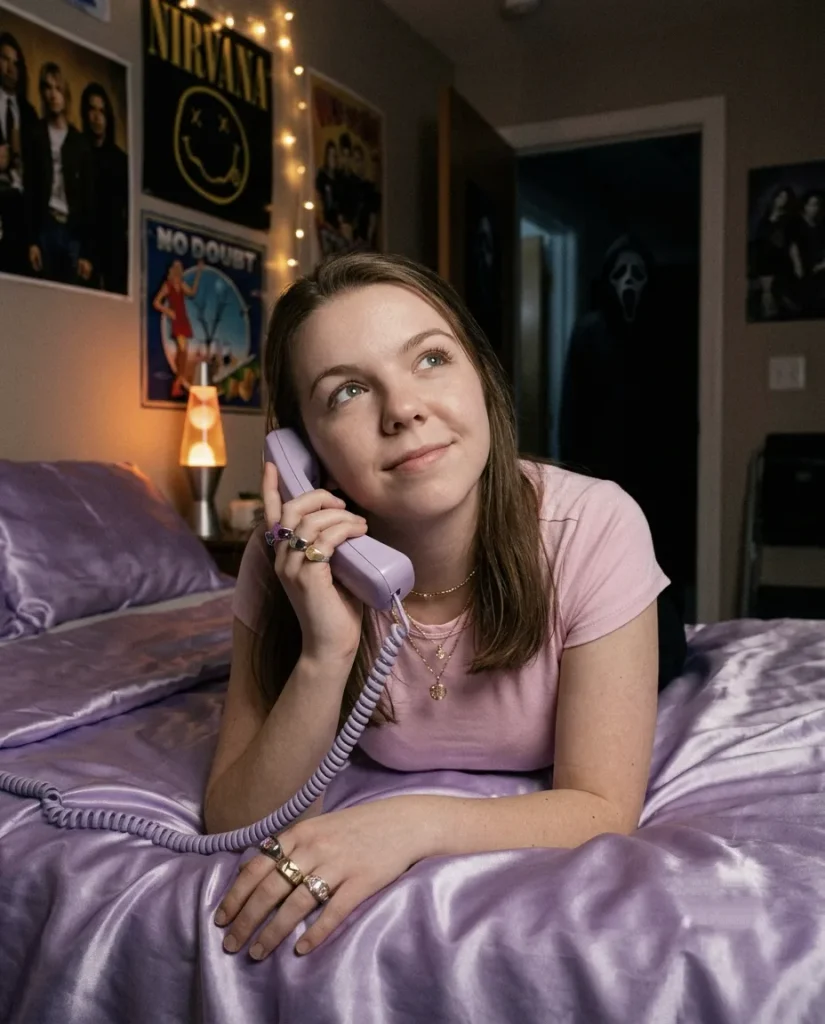
The classic look of the trend: a dreamy 90s bedroom with Ghostface barely visible in the hallway.
Prompt 2: Lakeside Cabin Campfire with the Hockey Mask Slasher
Best For: Boys / Men
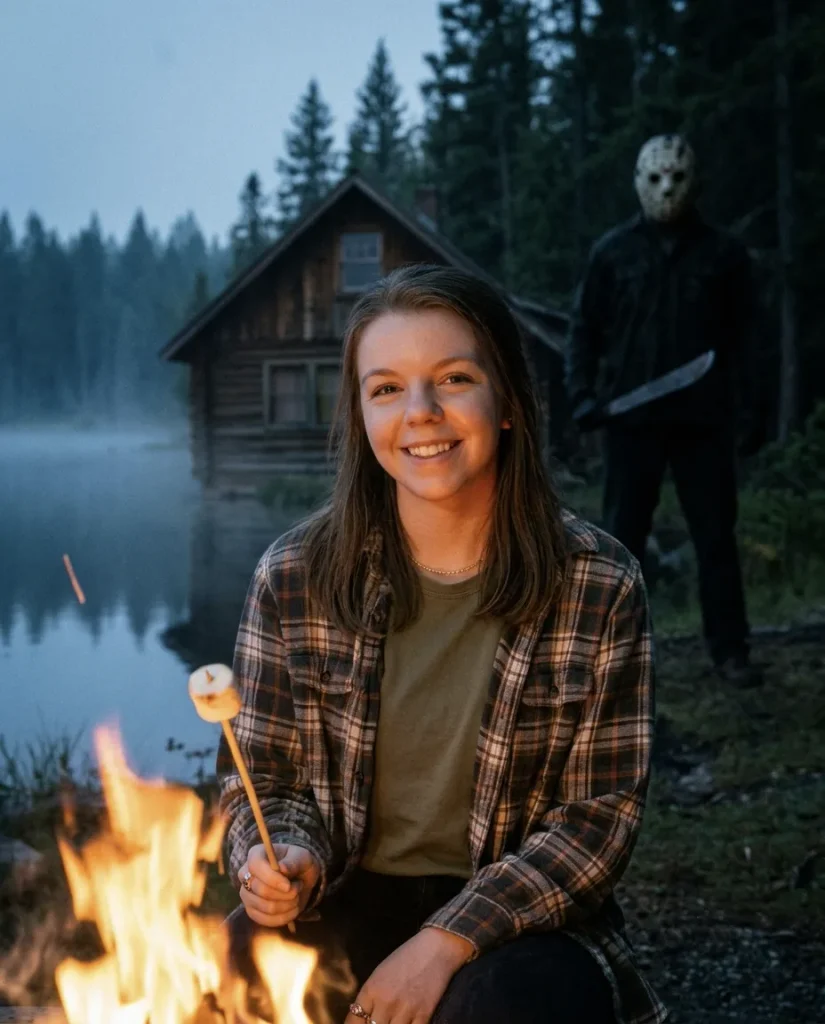
A summer-camp horror scene with a rugged, outdoorsy mood. Great for a bold profile picture.
Prompt 3: Halloween Porch with the White Mask Stalker
Best For: Both (Boys & Girls)
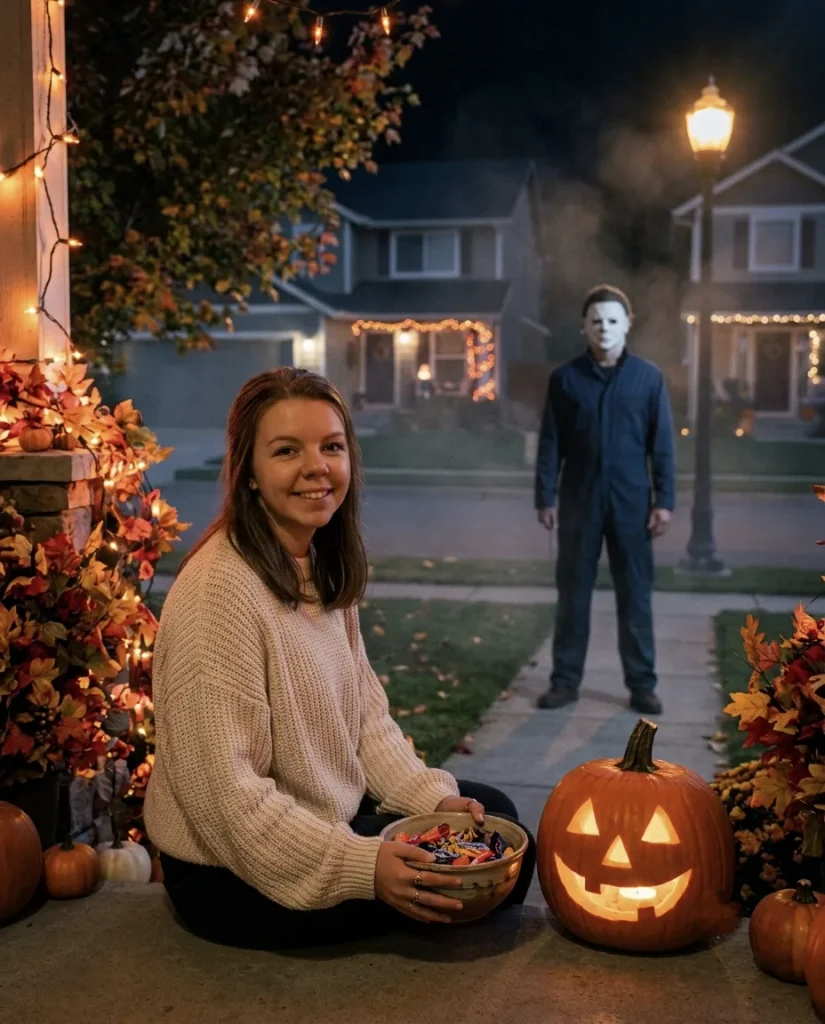
A cosy suburban Halloween night with a pale-masked figure standing silently across the street.
Prompt 4: Slumber Party Window Surprise with the Dream Demon
Best For: Girls / Friends
A playful sleepover snapshot with a striped-sweater villain appearing at the window. Works well for groups of friends.
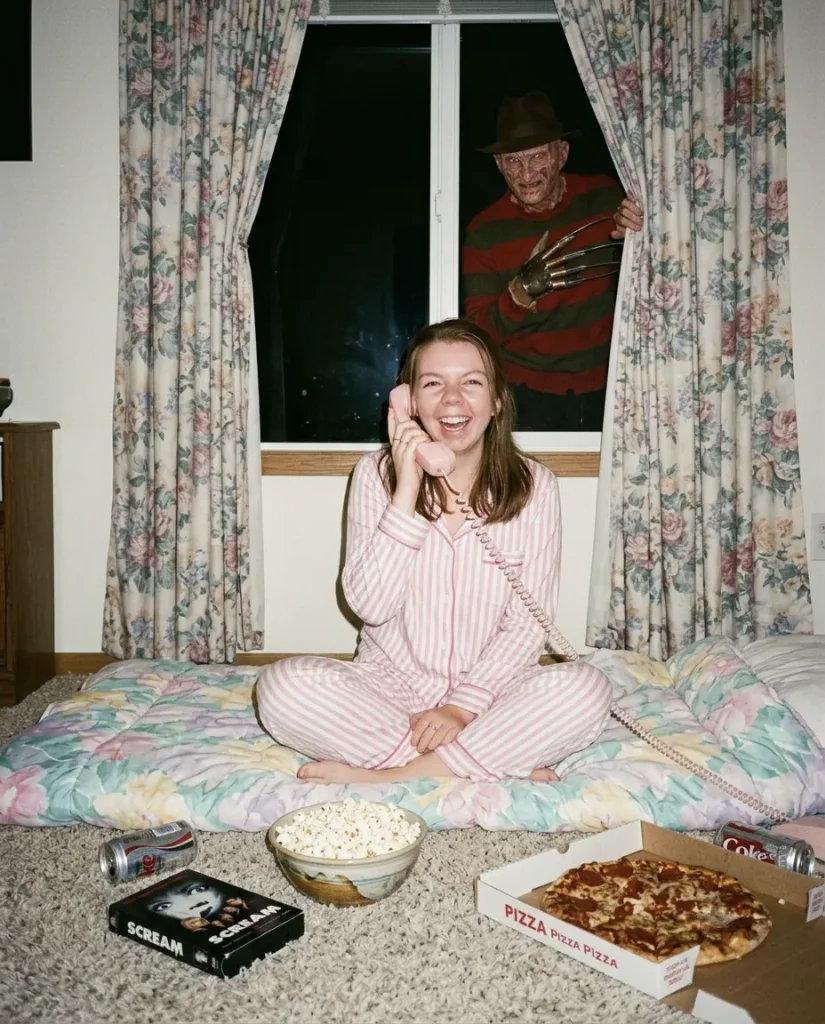
Prompt 5: Kids’ Bedroom Shelf with the Creepy Doll
Best For: Both (Boys & Girls)
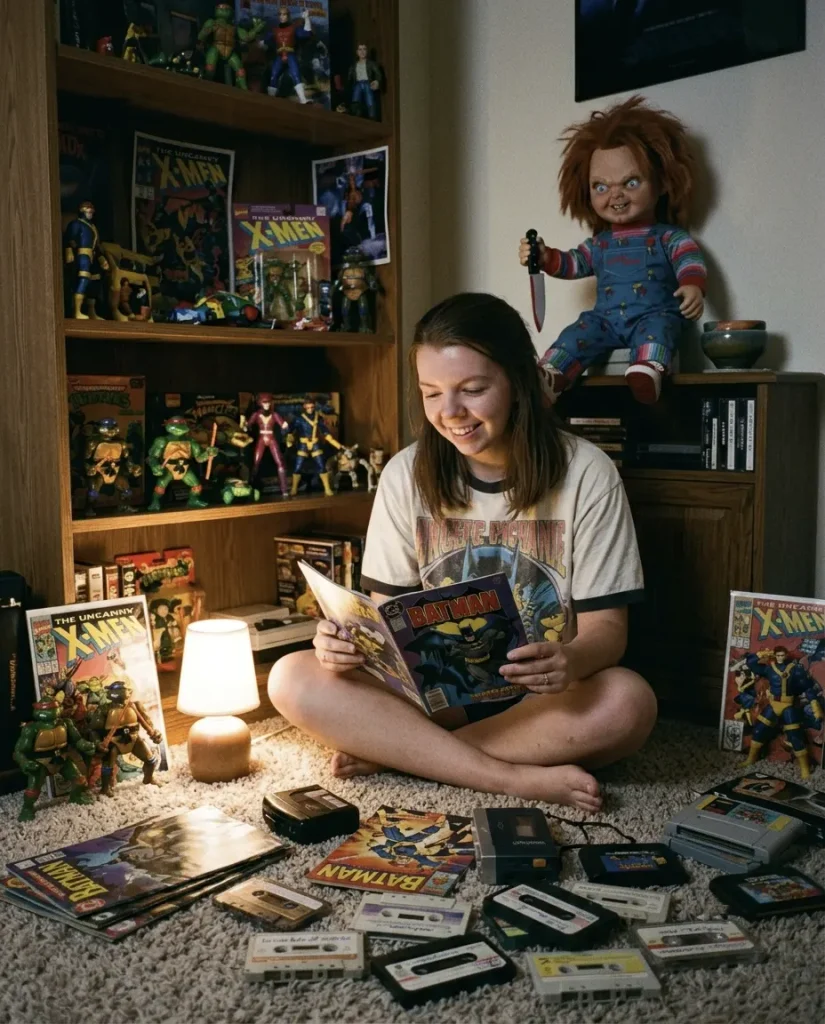
A subtle, funny-creepy photo where the doll on the shelf looks a little too alive.
Prompt 6: Rainy Street Balloon with the Clown from the Sewer
Best For: Both (Boys & Girls)
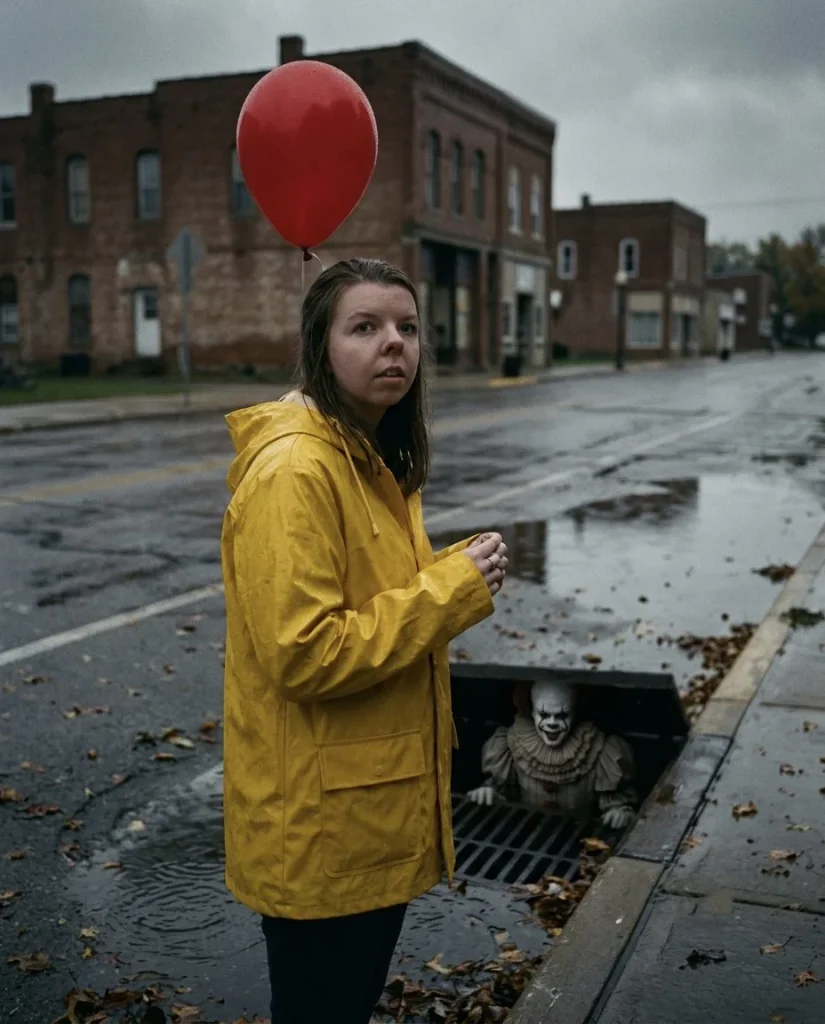
A dramatic rainy-day scene with a single red balloon and a grinning clown at the storm drain.
Prompt 7: Candlelit Chapel with the Nun
Best For: Couples / Friends
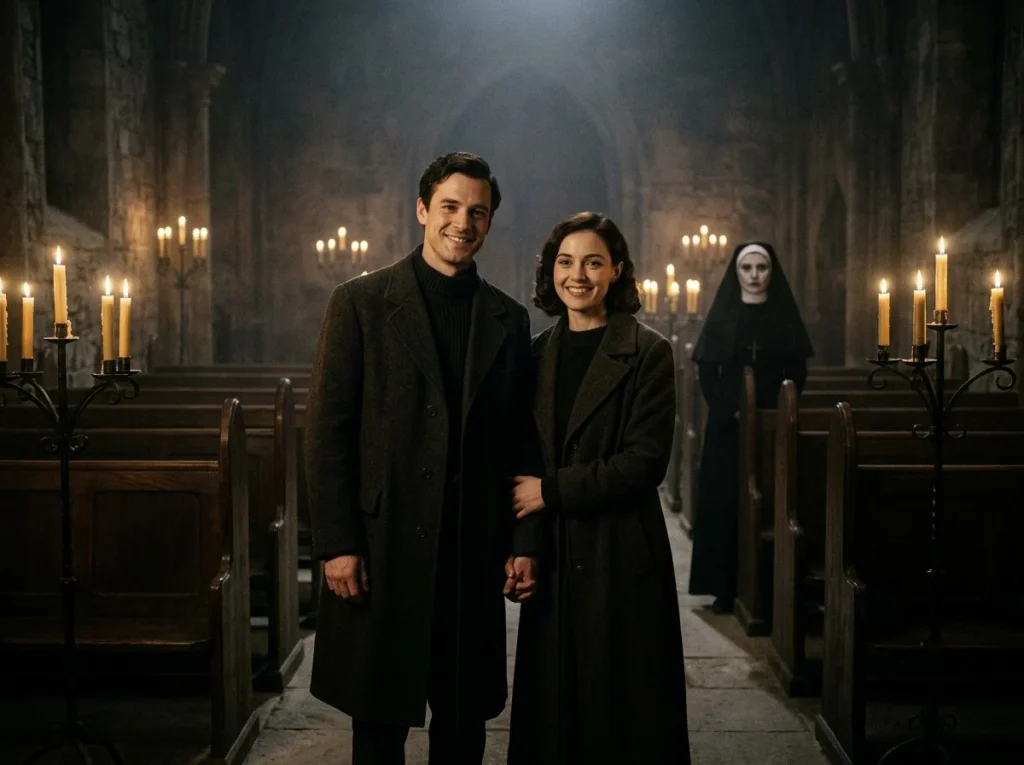
A gothic, atmospheric photo for two people, with a pale nun standing quietly behind them. Upload a photo of two people who have agreed.
Tips for the Best Scream Results
- Always add “keep my face the same.” This helps Gemini preserve your real features.
- Light is everything. Words like lamp glow, dim light, flash photography, fog, shadows create the horror mood.
- Hide the villain, don’t center them. Phrases like “barely visible,” “in the background,” or “half hidden in the shadows” make the photo feel more real and more shareable.
- Mention a film style. 35mm film grain, disposable camera flash, 90s home video adds a nostalgic touch.
- Not happy with the result? Reply with “make the room darker,” “add more fog” or “keep my face closer to the original.”
- Try 2–3 times. Each generation looks a little different.
How to Choose the Right Photo for Gemini
Even the best prompts cannot fix a dark, blurry or heavily filtered selfie, so spend one minute picking the right image.
- Use daylight. Stand near a window or step outside in the morning or evening.
- Face the camera. A straight or slightly tilted face works best.
- Keep the frame clean. A simple background helps the AI focus on you.
- Avoid heavy beauty filters. The AI may copy the fake look.
- Show your hair clearly. Gemini can then keep your hairstyle while changing the scene around it.
- Skip sunglasses and caps. They hide your features and confuse the result.
Easy Ways to Customize Any Prompt
- Change the villain. Swap in any horror character, or describe them generically, such as “a figure in a white ghost mask and black robe.”
- Change the location. Try a school hallway, a basement, a foggy forest, a movie theater or a retro diner.
- Change the outfit. Use a varsity jacket, slip dress, oversized hoodie, denim jacket or vintage band tee.
- Change the color mood. Try “cool blue night,” “warm lamp glow,” “red emergency light” or “black and white.”
- Change the props. Add a corded phone, VHS tapes, a flashlight, a pumpkin or a disposable camera.
- Change the format. Use “9:16” for Stories and Reels, “4:5” for Instagram posts or “1:1” for profile pictures.
Common Mistakes to Avoid
- Writing a very short prompt. A one-line prompt gives a random result. Describe light, outfit, location and mood.
- Forgetting to protect your face. Always add “keep my face and features exactly the same.”
- Adding too many ideas at once. One clear scene gives a cleaner image.
- Making the villain too prominent. If the character takes up the frame, the subtle “hidden in the background” effect is lost.
- Ignoring the aspect ratio. Always mention the size so the image doesn’t get cropped.
- Using someone else’s photo without permission. Only upload your own pictures, or photos of people who agreed.
Troubleshooting: Fix Common Gemini Problems
| Problem | Quick Fix |
|---|---|
| Face looks different | Upload a clearer, well-lit photo and add “keep my face closer to the original” |
| Gemini refuses a character name | Describe the character instead, for example “a tall figure in a white mask and dark robe” |
| Villain is too big or too obvious | Add “small, distant, barely visible in the background” |
| Background looks too busy | Say “simple background, one clear scene” |
| Skin looks plastic | Add “natural skin texture, visible pores, photorealistic” |
| Image is cropped | Mention the ratio like “vertical 4:5” or “9:16” |
| Colors look too bright | Add “dim lighting, muted colors, heavy film grain” |
| Hands look strange | Say “hands naturally placed, correct fingers” or hide hands in the pose |
How to Use Your Scream AI Photos
- As your Instagram or WhatsApp profile picture for spooky season.
- As a Reels cover or Story background with a short caption.
- As a Pinterest pin for a horror-aesthetic or Halloween board.
- As a Halloween party invitation image.
- As a phone wallpaper.
For the best quality, download the image at the highest resolution and avoid screenshots.
Caption and Hashtag Ideas
- “Don’t look behind you.”
- “Spot the villain in the background.”
- “Just a normal night at home.”
- “Pretty in pink, haunted in the hallway.”
- “Who called at 3 AM?”
- “Sweet dreams. Or not.”
Hashtags you can use:
#screamaitrend #ghostfaceai #geminiaiprompts #aiphotoprompt #horroraesthetic #y2kaesthetic #halloweenaiphoto #spookyseason #aiportrait #trendingprompts
Keep 5 to 10 hashtags per post, and mix popular tags with smaller niche ones.
Do’s and Don’ts of Scream AI Photos
Do:
- Use your own photo or photos with permission
- Keep one clear scene per prompt
- Save your best prompts for future use
- Edit in small steps instead of rewriting the whole prompt
Don’t:
- Upload photos of children, private images or someone else’s photo without consent
- Use heavily filtered selfies
- Use these images to scare, harass or prank people in a harmful way
- Claim an AI image as a real photograph when sharing it as proof of something
- Mix too many styles in one prompt
Conclusion
The scream AI picture trend is popular because it mixes nostalgic beauty with a little horror, and it takes seconds to make, free of cost. With the 7 prompts above, you can create a Y2K Ghostface bedroom, a lakeside campfire scare, a Halloween porch stalker, a slumber party surprise, a creepy doll shelf, a rainy-street clown and a candlelit chapel with the Nun, all from a single photo.
Start with one prompt, upload a clear photo and tweak the light and shadows until it feels like you. Remember to keep the “keep my face the same” line, use your own photo, and enjoy experimenting. The real secret behind a great AI horror portrait is a clear photo, moody lighting, one simple scene and a villain who is barely there.
Bookmark this page, try your favorite prompt, and come back every day at Daily Trending Prompts for new AI photo trends.
FAQs
Are these prompts free? Yes, you can paste them in Gemini and try for free (limits depend on your Gemini plan).
Can both boys and girls use these prompts? Yes. Each prompt is labeled with who it suits best, and you can change the outfit and styling words to fit your own style.
Can I change the outfit or colors? Yes. Replace the clothes, props or color mood with your own idea.
Will it look exactly like me? Results can vary. Use a clear, well-lit photo and keep the “keep my face the same” line.
Why does my face look different in the result? This usually happens when the photo is dark or blurry, or the prompt is too long. Upload a clearer photo and ask Gemini to “keep my face closer to the original.”
Why did Gemini refuse my prompt? Some AI tools restrict named fictional characters or violent props. Try describing the character generically and remove weapons from the scene.
Can I use these prompts on other AI tools? Yes, most of them also work in other AI image tools that accept a reference photo, though results vary.
How can I get a more realistic look? Add words like “natural skin texture,” “photorealistic,” “film grain” and “shallow depth of field.” Avoid “perfect skin” or “flawless.”
What is the best aspect ratio for Instagram? Use 4:5 for feed posts and 9:16 for Stories and Reels. For a square profile picture, ask for 1:1.
Is it safe to upload my photo? Only upload photos you are comfortable sharing, and check Google’s privacy settings for Gemini to understand how your data is used.
Can I make a scream photo of my couple or friends? Yes. Upload a clear photo of both people with their permission and add “keep both faces exactly the same.”
What should I do if Gemini changes my hairstyle? Add “keep my hairstyle and hair color exactly the same” near the start of the prompt.
Can I use these images commercially? Check the terms of use of the AI tool you are using. The horror characters are copyrighted by their owners, so avoid commercial use such as selling merchandise. Rules can change, so always read the latest policy.
1 thought on “Best Scream AI Picture Trend Prompts for Gemini: 7 Spooky Horror Photo Ideas (Copy & Paste) – 2026”